top of page
Estrella Bradley Ogando
A2 Coursework Component 3
Advanced Portfolio
EBO PRODUCTIONS - D-CRUZ Y ANTEX


TEST SHOTS
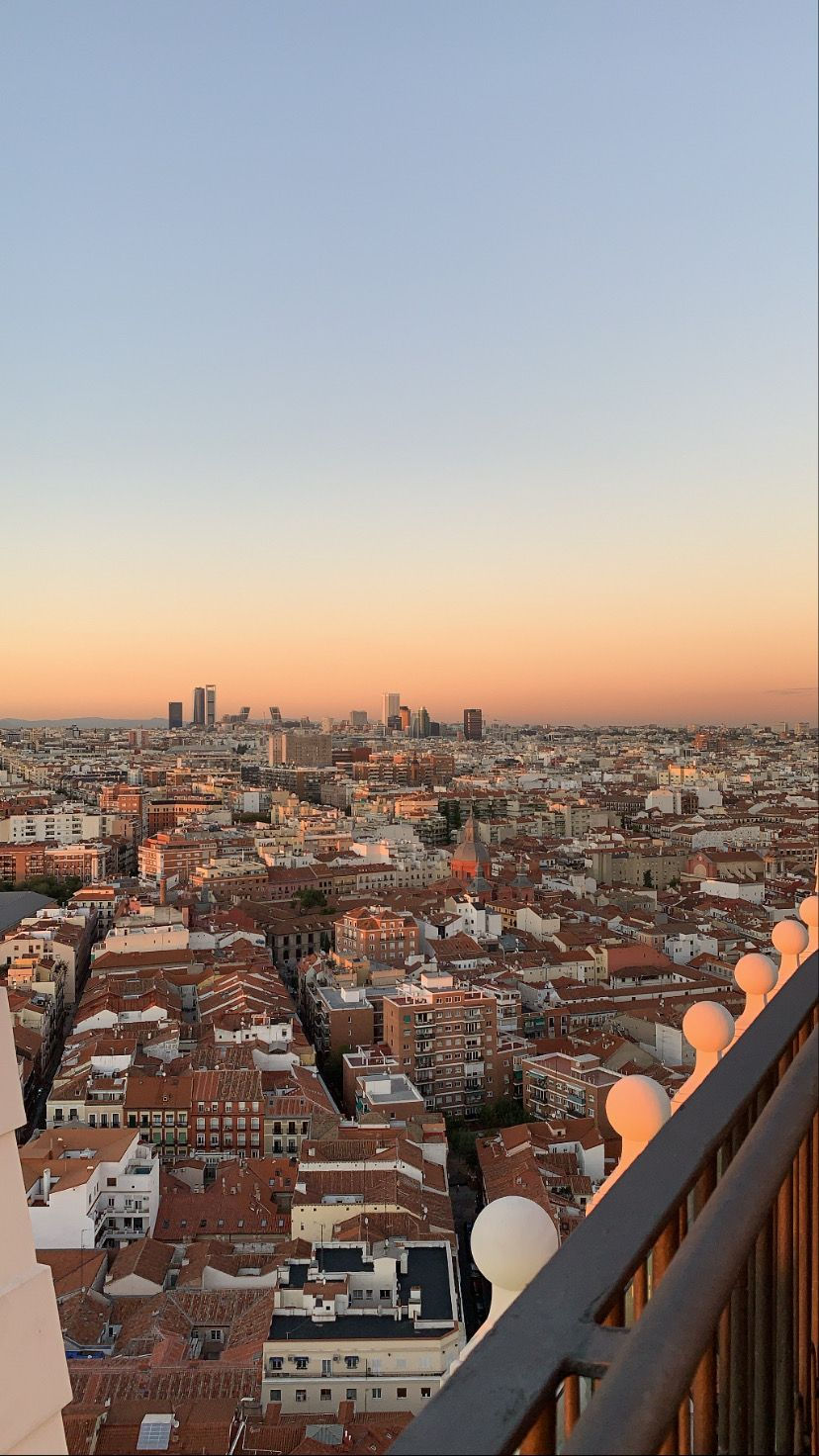
TEST 1: Recreating the Google Maps effect from Vince Staples's music video 'FUN!'
I wanted to try to recreate the effect of the Google Maps effect that this artist uses in his music video but test it out quickly to see how it looks and what I'd have to refine
ALL OF THE CLIPS I USED AND PUT TOGETHER :

screen recording made on my computer of me zooming into Google Maps
screenshot taken from my own shot
raw video footage that I took for the test shot


The original screenshot of the final location in Google Maps that I tried recreating in the exact same place, position, and angle. This is the screenshot and my attempt side by side
FINAL TEST SHOT RESULT
This was my first attempt at trying to recreate the effect that I wanted and in my opinion, it wasnt very successful in terms of it looking realistc. I think the shot to start was too zoomed in and I should have probably stepped back a bit to film, because in the shot it weirdly zooms in too much. Another thing that I thought was unsuccessful was in terms of camera and filters. I think that the shots I took with my camera made my footage too saturated in comparison to the greyish undertone that the google images have.
EDITING EVIDENCE ON PREMIERE PRO :

2ND TEST AND REFINED ATTEMPT:
In my second attempt, I filmed from further away and think it looked a lot better than the first time I edited the test shot. I also cut the first scene of the screen recording for it to last a little bit longer and you can see a snippet of the original location. I also edited the screenshot of my own shot by lowering the brilliance, highlights, and shadows and highering the shadows and brightness. I also really like how the newly edited photo has a frame of its own and then, the original footage shows up with better quality.
screen recording made on my computer of me zooming into Google Maps

screenshot taken from my own shot
raw video footage that I took for the test shot
FURTHER PHOTO EDITING TESTS:
This is my original photo, where I realized the quality of the photograph taken was too saturated in comparison to the camera quality in Google Maps

I edited the original screenshot of lowering the brilliance, highlights, and shadows and especially turning the saturation down and highering the shadows and brightness.
This was better than the original, however, it still didnt match the filter used in Google Maps and I had to keep working on it

Finally, I reached the filter I wanted by tweeking the previous settings a bit, until I achieved the filter I wanted. In the previous test I lowered the saturation down too much thinking it was the problem

LOCATION TEST SHOTS:
FOR ALL THE ESTABLISHING SHOTS IN BETWEEN LOCATION CHANGES (WITH NO ACTORS)
TEST 1: Filming around one of my potential locations 'Patio in Getafe'
I was thinking on using a patio my grandparents have in Getafe as one of the secndary locations. None of the actors will directly be in these locations, but I will use them as filler shots during the chorus of the song alongside other locations that are staples around Madrid.


TEST 3: Filming around the graffiti wall in Chamartin
As another one of these filler locations during the chorus, I chose The graffiti wall at the side of the train station at Chamartin. Graffiti I think has a big link to the Hip Hop genre of music since it is often listened to in urban city areas, most of which are covered in graffiti. Since I wanted to be a bit more artistic with this music video I decided to use a prettier graffiti wall rather than an average one, so it visually looks more aesthetic in the final music video.


LOW ANGLE TRACKING SHOT TEST SHOT:
I used a selfie stick for this shot to get a good low angle shot for the feet walking and moving, while it being a close up.
TRACKING SHOT OF ACTOR: CANON CAMERA VS IPHONE COMPARISON
IPHONE:
CANON CAMERA:
Canon Camera quality is definitely a lot better than the iPhone, however, the canon camera was too heavy to move in such as quick, motion, and agile way while walking backward. For the filming of the video I will opt to use the iPhone to film the more moved scenes and perhaps later edit the filters over it for it to look like the quality on the canon camera.
I wanted to test out the dolly zoom technique on the canon camera before filming the full video. In order to achieve the dolly zoom effect, I had to zoom into the subject that I was filming while panning out. This was pretty difficult as the camera lens didn't fully focus on the subject at the end of the video and it was also pretty difficult to not have a shaky finish to the video. To fix this problem I would add a stabilizer effect on CapCut or PremierePro to achieve a smoother look.
DOLLY ZOOM TEST SHOT:


bottom of page